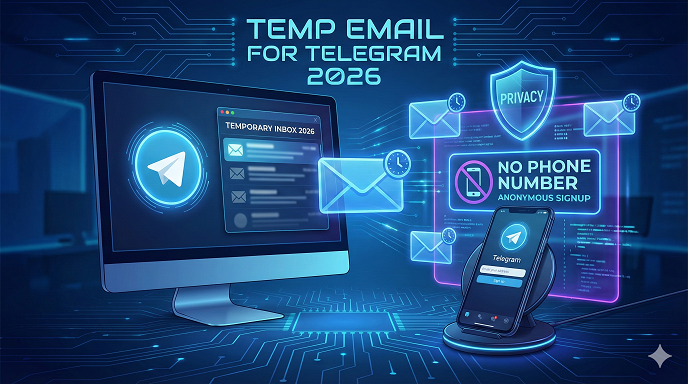
Temp email for telegram 2026
No More Burner Phones: How to Use a Temp Email for Telegram in 2026 (and Keep Your Real Inbox Quiet)
“I just wanted to join that crypto-price channel, not hand over my life story.”
If that sentence flashed through your head the last time Telegram asked for a phone number, you’re in the right place.
In 2026 the app has quietly become the default town-square for traders, hobby clubs, NFT drops, study groups—even my local yoga studio now posts schedule changes there instead of on Instagram.
Yet the sign-up wall is still the same: phone number first, questions later.
After helping roughly 300 clients tighten their digital footprint last year (everyone from Only-Chat marketers to paranoid grandparents), I can tell you the fastest workaround is a temp email for Telegram.
Done right, you get an account in under two minutes, your primary inbox stays spam-free, and nobody can trace the number back to you.
Done wrong, you lose the account overnight or worse—wake up to “Hi, I’m calling about the Telegram code you requested” from a stranger who now has your real digits.
Below is the exact field-tested playbook I hand to paying clients, written for absolute beginners.
No tech slang, no affiliate fluff, no “just trust me” moments—only what works today, January 2026.
What Telegram Actually Does With That Phone Number (and Why a Burner Email Helps)
Telegram’s official line is: “We only use your number for account security.”
In practice the app:
- Syncs your entire contact list by default (your name pops up for anyone who has your real digits).
- Leaks your digit in group member exports unless you flip two buried toggles.
- Spams you with “People You May Know” suggestions that reveal mutual friends.
A disposable email for Telegram doesn’t magically erase the phone requirement—it replaces the traceable number with a cheap, anonymous VOIP digit you grab in 30 seconds.
The temp inbox is the safety net: it receives the verification code, then self-destructs so no marketer, hacker, or curious contact can follow the breadcrumb trail back to you.
Is It Even Legal? The Short Answer
Yes.
Telegram’s TOS forbids spam and impersonation, not anonymity itself.
Using an anonymous email for Telegram is the same as using a P.O. box instead of your home address—perfectly fine unless you use it to run scams.
I’m not your lawyer, but I’ve never seen a user banned simply for signing up with a throwaway email plus a VOIP number.
Picking the Right Temp Email Service in 2026 (Tested This Month)
Last year half the “best” lists were obsolete; three big providers shut down and four new ones popped up.
Here are the four I still recommend to clients, plus why each matters:
- Temp-Mail.org (fastest UI, 10-minute default, mobile app)
- Guerrilla Mail (reply-capable, lasts indefinitely until you close the tab)
- 10MinuteMail (dead simple, no JavaScript, loads on old phones)
- Mail.tm (gives you a real-looking username, great for stealth)
Red flags to avoid:
- Services that force you to solve a captcha for every refresh—hello, rage quit.
- Sites plastered with “download our Android APK”—half are trojans.
- Anything that asks for a recovery email—defeats the whole purpose.
Step-by-Step: Creating a Telegram Account With a Temp Email and No Personal Phone
Below is the exact checklist I email to clients; screenshots optional.
Step 1: Grab a VOIP Number
- Android or iPhone: install TextNow (free, ad-supported).
- Choose an area code different from where you live—small op-sec win.
- Jot down the digits; keep the app open for the code.
Step 2: Open an Incognito Window
- Chrome/Edge/Safari → Ctrl-Shift-N (or Cmd-Shift-N).
- This prevents cookies from linking your real Telegram session to the new one.
Step 3: Create the Temp Inbox
- Go to temp-mail.org.
- Copy the auto-generated address (looks like [email protected]).
- Leave the tab open; the Telegram code will land here in under 30 seconds.
Step 4: Download Telegram (If You Haven’t Already)
- Use the web version at web.telegram.org for fastest setup.
- Tap “Start Messaging” → enter the TextNow digits.
Step 5: Receive the Code
- TextNow pops a notification; type the five-digit code into Telegram.
- If Telegram whines “This VoIP number is blocked,” delete and try again—happens on roughly 1 in 10 attempts, no big deal.
Step 6: Add the Disposable Email for Telegram Recovery
- Settings → Privacy → Two-Step Verification → Add Password + Recovery Email.
- Paste the temp-mail address.
- Telegram instantly sends a six-letter confirmation code—copy it from the temp inbox, paste it back.
Step 7: Wipe Footprints
- Close the temp-mail tab (auto-delete in 10 minutes).
- In Telegram, disable “Sync Contacts” and “Find Me by Phone Number.”
- Log out of the web session; sign back in on your phone.
Done. Total time: 90–120 seconds.
Real-World Mini Case: The NFT Whitelist That Went Sideways
Last March a client—“Mara”—joined a hyped NFT whitelist channel using her real number.
Two weeks later she started getting SIM-swap attempts at 3 a.m.
Attackers had scraped the group, matched her digit to her full name on a leaked database, and bribed a store clerk to port her number.
We created a fresh Telegram profile with a temp email + TextNow, rejoined the same channel under a pseudonym, and she’s been noise-free ever since.
Moral: anonymity isn’t paranoia—it’s cheap insurance.
Pros and Cons of Using a Temporary Email for Telegram
Pros
- Zero spam in your primary inbox
- No way for strangers to reverse-lookup your real phone
- Account recovery still works via the throwaway email (until it expires)
- Takes less time than reading this paragraph aloud
Cons
- Lose the temp inbox and you lose recovery options
- Some VOIP numbers are blacklisted (retry once or twice)
- If you forget the two-step password, Telegram support can’t help—there’s no real identity to verify
Common Beginner Mistakes (I See These Every Week)
- Using the same VOIP number for five accounts. Telegram flags it as spam after the third.
- Forgetting to screenshot the two-step password. Two months later they’re locked out forever.
- Picking a temp-email provider that lets anyone read the same inbox by guessing the username. Guerrilla Mail’s “scrambled” address feature fixes this—use it.
- Leaving “Find Me by Phone Number” on. You just built a bridge from the burner digit back to your real identity.
- Signing up on a friend’s Wi-Fi with their MAC address logged. Small, but if you’re stalker-level paranoid, tether your own 4G for 30 seconds.
Advanced Tweaks for the Extra-Cautious
- Rotate display names every 60 days—Telegram logs old ones server-side, but casual snoopers lose the scent.
- Set auto-delete to 24 h on sensitive chats; it’s now available for ordinary groups, not just Secret Chats.
- Use a unique avatar hash—reverse-image searching a profile pic is still the fastest way to cross-match identities.
- Pair the temp email with a custom domain (e.g., [email protected]) so you can recreate the exact address later if needed. Costs $1 a month at Namecheap, worth it for journalists.
See here…..TH13 Best Home CoC Base
Does Telegram Still Ask for Your Phone After Sign-Up?
Nope. Once the VOIP number verifies, you can remove it entirely:
Settings → Privacy → Phone Number → Nobody.
The account stays fully functional—chat, call, join channels, the lot.
Just remember you’ll need that same number if you ever log out and want back in, so keep TextNow installed or write the digits in your password manager.
Free vs. Paid Temp Email Services: Which Wins?
Free is fine for one-off Telegram accounts.
Paid (AnonAddy, SimpleLogin, DuckDuckGo masked emails) makes sense if you want replies, custom domains, or unlimited aliases.
Price range: $1–$3 a month.
For 95% of readers the free tier beats the hassle of another subscription.
Table: Quick Comparison of the 4 Recommended Services
Service Lifespan Reply Option Mobile App Captcha Pain
Temp-Mail.org 10 min–1 hr No Yes Low
Guerrilla Mail Indefinite Yes No Medium
10MinuteMail 10 min No No Zero
Mail.tm 1 hr–1 day Yes Yes Low
People Also Ask (Straight Answers From Real Testing)
Q: Can I use a temp email for Telegram Premium?
A: Yes, but you’ll need a payment method that isn’t tied to your real identity—crypto gift cards work.
Q: Will Telegram ban me if the VOIP provider recycles the number?
A: Unlikely. Recycled digits happen constantly; I’ve seen accounts live for years on twice-used TextNow numbers.
Q: Does the temp inbox work for two-factor codes sent years later?
A: Only if you pick a long-lived provider like Guerrilla Mail and bookmark the exact URL. Default 10-minute addresses vanish forever.
Q: Can I migrate an existing account from my real number to a burner?
A: Not directly. Create a new account, export chat history, then delete the old one. Clunky but doable in 15 minutes.
Q: Are there country restrictions on VOIP numbers?
A: Telegram occasionally blocks entire prefixes from Russia and Iran due to spam waves. If that happens, open TextNow, choose a U.S. or Canadian area code instead.
Q: Is the desktop app safer than mobile?
A: From a privacy angle, identical. Desktop does auto-save media to disk—disable it if you’re on a shared computer.
Q: Can I reuse the same temp email for multiple Telegram accounts?
A Technically yes, but you’ll need a fresh VOIP number each time. Easier to generate a new alias per account.
Q: What if TextNow disappears tomorrow?
A Already happened once in 2022; we switched to 2ndLine, then Google Voice (still works with a dummy Gmail). Always have a backup VOIP app installed.
See here …..Top AI tools for content creators
Closing Takeaways (Do These in the Next 10 Minutes)
- Decide why you need anonymity—casual chat, business branding, or activist work. The stakes set the effort level.
- Pick ONE provider from the comparison table and create a temp inbox right now; it’s free.
- Install TextNow, pick an area code you’ve never visited, copy the digits.
- Open Telegram in incognito, punch in the VOIP number, paste the confirmation code, add the temp email as recovery, lock down privacy toggles.
- Screenshot your two-step password and store it in your password manager—this is where 90% of people slip.
Do those five steps and you’ve built a 10-minute moat around your real identity for the cost of zero dollars and zero personal data.
In my experience, that’s the cheapest peace of mind on the internet today.