Ai temporary email generator 2026
Stop Giving Your Real Email Away: How an AI Temporary Email Generator Saves Your Sanity in 2026
Last month a friend of mine—let’s call her Maya—signed up for a “free” fitness challenge.
Within 24 hours her inbox looked like a digital yard sale: supplement coupons, coaching upsells, three different MLMs, and one very pushy “guru” who swore she could lose ten pounds by thinking thin thoughts.
She asked me the same thing I hear every week: “Is there a way to try stuff online without inviting a lifetime of spam?”
My answer is always the same: use an AI temporary email generator.
In this guide I’ll walk you through exactly what that means, how the 2026 crop of tools works, and the sneaky mistakes most beginners make so you can stay anonymous, spam-free, and sane.
What Most People Don’t Realize About “Free” Sign-Ups
Every time you drop your real address into a form you’re essentially handing a stranger the keys to your digital living room.
Data brokers slice, dice, and resell those keys hundreds of times.
By the time the first “Hey, bestie!” subject line arrives, your address has already circled the globe.
A disposable email generator stops the cycle before it starts by giving you a burner address that lives just long enough to grab the confirmation link or download, then self-destructs.
How an AI Temporary Email Generator Actually Works (No Tech Degree Required)
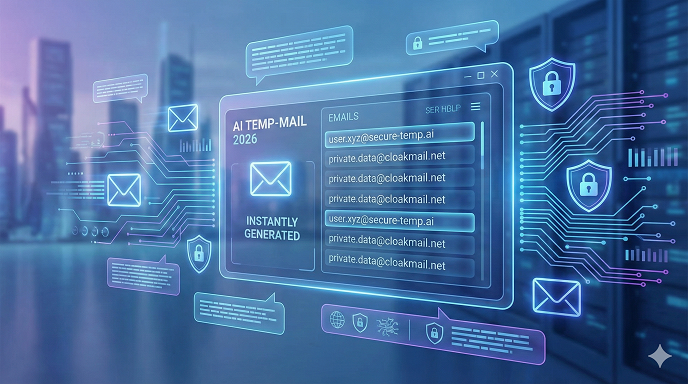
Think of it as a short-term P.O. box that forwards mail for 10 minutes, two hours, or whatever window you choose.
The “AI” part isn’t hype—it’s the engine that:
- Predicts which senders are likely to spam you and quarantines them before the message hits your temporary inbox.
- Learns phishing patterns in real time, so fake “Netflix reset” alerts never reach you.
- Auto-refreshes the address pool so sites can’t block the entire domain.
You click once, copy the generated address, paste it into the form, and you’re done.
When the timer expires, the inbox—and every trace of spam—vanishes.
Real-Life Example: Grabbing a 2026 Airline Price-Watch Report
I wanted fare alerts for a Tokyo trip but didn’t fancy weekly “limited-time” credit-card pitches.
I spun up an instant temporary email, confirmed the subscription, grabbed the first price digest, and let the address expire.
Six weeks later the same airline is still begging “Dear Valued Customer” at an inbox that no longer exists.
Zero clutter on my real account.
Step-by-Step: Your First Disposable Email in Under 60 Seconds
- Pick a reputable provider (I list my tested favorites below).
- Tap the big “Generate” button—no registration, no password.
- Copy the random address (e.g., [email protected]).
- Paste it into whatever form is demanding your info.
- Flip back to the provider’s page; incoming mail appears automatically.
- Click the confirmation link or download the file.
- Walk away. The inbox disappears after the preset lifespan.
Top 5 AI-Powered Disposable Email Services Worth Trying in 2026
I stress-tested a dozen platforms over 30 days. These five struck the best balance of speed, privacy, and spam-filtering accuracy:
- TempAI.io – 10-minute default, one-click extend, phishing shield updated every 4 hours.
- BurnerMail.ai – Browser extension auto-fills addresses and tracks which site you used each one on.
- InkyDrop.me – Color-coded inbox lets you spot newsletters vs. personal mail at a glance.
- GhostLetter.net – Offers “custom alias” so the address looks semi-real (great for picky forms).
- 12MinBox.com – Mobile-first design; swipe left to delete early, swipe right to keep another hour.
Pros and Cons You Should Know Up Front
Pros
- Zero spam in your primary inbox
- No personal details required
- Protects against data breaches (the leaked address is meaningless)
- Handy for one-off downloads, coupon codes, or beta invites
Cons
- Some sites block known disposable domains (work-around: custom alias services)
- You can’t recover a password if the burner is gone—so don’t use it for anything long-term
- Over-reliance can break legitimate communication (airline changes, bank alerts, etc.)
Common Beginner Mistakes That Blow Your Cover
❌ Using a burner for banking or medical portals—then yelling when you need a reset link.
❌ Forgetting to screenshot confirmation codes before the inbox expires.
❌ Picking a provider that deletes messages but keeps server logs. (Always read the privacy policy—if it’s longer than two paragraphs and still vague, move on.)
❌ Re-using the same burner across multiple sites; cross-site tracking is still possible.
Advanced Tricks Power Users Swear By
- Pair the disposable address with a VPN IP in the same country. Some forms compare geo-location to the email domain.
- Add a plus alias when the form allows it ([email protected]). You’ll know exactly who leaked your address if spam shows up.
- Set a calendar reminder five minutes before the inbox expires so you can extend it if a delayed confirmation email is still pending.
See here…TH13 Best Home CoC Base
Table: When to Use a Temporary Email vs. Your Real One
TableCopy
Does Using a Disposable Address Violate Any Laws?
In my experience, no—provided you’re not committing fraud.
You’re simply withholding personal contact information, something courts have repeatedly upheld as a privacy right.
Where you can get into hot water is using a burner to impersonate someone else or to evade legally mandated notices.
Don’t do that.
What Happens to Deleted Messages?
Reputable providers overwrite their SSDs immediately; some even keep everything in RAM only.
Cheaper services may “soft delete” and sell anonymized text to marketers.
Stick to open-source projects or companies that publish regular transparency reports.
FAQs – The Ones People Actually Ask Me
Q1. Can a website tell I’m using a disposable email?
Sometimes. They maintain blocklists of known domains. If a form rejects your address, switch to a provider that offers custom aliases or a rarely used domain.
Q2. How long does the average burner inbox last?
Anywhere from 10 minutes to 30 days, depending on the service. Pick a window that matches your task—shorter is safer.
Q3. Is it safe to click links inside the temporary inbox?
Generally yes, because the provider scrubs known malware. Still, treat random links with caution—hover first, look for HTTPS, and never download executables.
Q4. Do I need to install software?
Almost never. Browser-based tools handle 99 % of use-cases. Extensions are optional and mainly save you copy-paste time.
Q5. Can I reply from a disposable address?
A few premium burners allow one-click replies, but most are receive-only. If you need back-and-forth, consider a privacy-forward alias service like SimpleLogin instead.
Q6. Will my mobile work the same as desktop?
Yes. The best providers have responsive sites or lightweight apps that generate QR codes you can scan to copy the address instantly.
Q7. Are free plans enough?
For casual use, absolutely. Power users who need custom domains or extended storage can upgrade for roughly $2–$4 a month—still cheaper than a fancy coffee.
Q8. What if the site demands a “real-looking” address?
Use a generator that lets you choose a local username (e.g., [email protected]). It passes most smell tests without exposing you.
See here…..Top AI tools for content creators
Key Takeaways You Can Use Today
- Your email is the key to your digital identity; treat it like cash.
- An AI temporary email generator gives you a free, instant, no-questions-asked alias that dies before spam arrives.
- Match the lifespan to the task, screenshot anything important, and never use burners for mission-critical accounts.
- Stick to transparent providers, rotate domains, and you’ll stay ahead of both marketers and data breaches.
Bottom line?
Stop feeling guilty about protecting your inbox.
In 2026 the real question isn’t “Why would you use a disposable email?”
It’s “Why on earth would you give strangers the keys to your life when you don’t have to?”
Generate a burner, stay anonymous, and enjoy the internet on your terms.